Advertisement
Click to download now, finish the installation quickly, and directly unlock the all-round experience
Advertisement
Screenshots
Click to download now, finish the installation quickly, and directly unlock the all-round experience
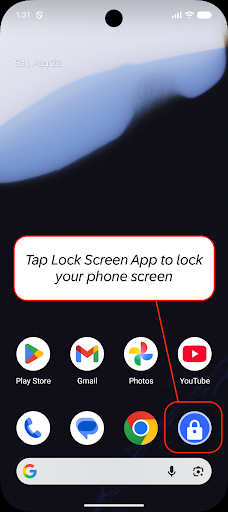
Lock Screen gives you an on-screen way to turn off and lock your phone instead of using its physical power button. It may suit people who find that button difficult to press, or anyone who would rather use a software control for this one task. The app’s job is narrow: it locks the device; it is not a replacement for your phone’s lock-screen settings.
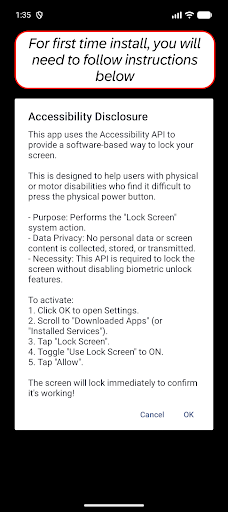
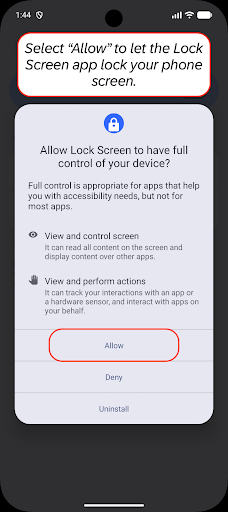
To carry out the lock action, the app uses Android’s Accessibility Service. According to its description, that access is used for locking the screen, not for collecting, storing or sharing personal data. On Android 9 and later, this method can lock the device without invalidating biometric unlock. Older Android versions may use Device Administrator permission instead. These are meaningful system-level permissions, so consider whether the convenience is worth granting them.
There is little to learn if all you need is another way to lock the phone. The main benefit is avoiding repeated use of a physical button, which can help with access or reduce button use. The listing does not promise a wider set of phone controls, so this is best judged as a single-purpose tool rather than a general accessibility suite.
Lock Screen is published by olalab in the Tools category. It has more than 10 million installs and a 3.7 rating from 20,090 reviews. That reach suggests many people have tried it, but the rating is mixed rather than a clear endorsement; it cannot tell you whether the permission setup or the app’s behavior will suit your device.
If you later remove it, the developer’s instructions say to turn off its Device Administrator access in Android settings first, then uninstall it. That step applies when the app has been granted that permission.